

How to Activate the Free Google AI Pro Jio Offer: Step-by-Step Guide
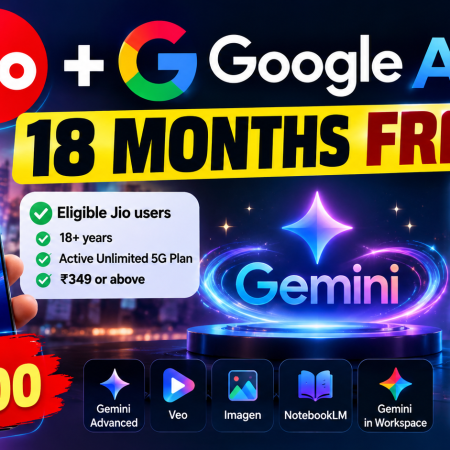
Jio has partnered with Google to offer eligible users in India access to Google AI Pro for 18 months at no additional subscription cost. The offer provides access to supported Google AI features and Google One benefits, subject to the promotion’s terms and eligibility requirements.
However, the offer is not available to every Google Account or every mobile user worldwide. You need an eligible Jio connection and plan, and you must activate the benefit through the official process.
This guide explains how to check eligibility, activate the Google AI Pro offer through the MyJio app, verify your subscription, and troubleshoot common problems.
What Is the Google AI Pro Jio Offer?
The Google AI Pro Jio offer is a promotional benefit provided through the partnership between Google and Reliance Jio.
Eligible customers can claim the promotional subscription through MyJio and link it to their Google Account.
Depending on the current plan and the features available to your account, Google AI Pro benefits may include:
- Expanded access to supported Gemini AI features.
- AI-assisted research and productivity tools.
- Access to supported image and video generation features, subject to usage limits.
- NotebookLM features and other supported Google AI tools.
- Expanded Google storage shared across Google Drive, Gmail, and Google Photos.
Features, usage limits, storage allowances, and promotional terms can change. Check the offer details displayed in MyJio and the official Jio Google Gemini Offer FAQ.
Who Is Eligible for the Free Google AI Pro Jio Offer?
Jio’s published eligibility guidance includes users aged 18 or older with an active eligible Jio mobile plan.
The listed qualifying plans include unlimited 5G plans of ₹349 or above. Jio has also published eligibility for certain prepaid plans of ₹299 or above with 1.5 GB of data per day and postpaid plans of ₹299 or above for a limited-time offer.
Eligibility rules and qualifying plans may change, so check the latest conditions before attempting activation.
You should also be aware of these requirements:
- You must have an eligible Jio connection.
- Your mobile plan must meet the current offer conditions.
- You must complete the activation process through the official MyJio app.
- You need a Google Account to receive the subscription benefit.
- You may need to maintain an eligible Jio plan throughout the promotional period.
Simply having a Gmail account does not qualify you for the offer.
Official eligibility information: Who is eligible for the Google Gemini offer from Jio?.

How to Activate Google AI Pro Through MyJio
Follow these steps to check and claim the offer.
Step 1: Update the MyJio app
Open the Google Play Store or Apple App Store and check whether an update is available for MyJio.
Install the update if needed, then open the app.
Step 2: Sign in with your Jio number
Open MyJio and sign in using the eligible Jio mobile connection.
Make sure you are checking the correct number and that your current plan meets the published eligibility conditions.
Step 3: Find the Google AI Pro or Google Gemini offer
Look for the Google AI Pro or Google Gemini promotional offer in the MyJio app.
The location and wording of the offer may change as Jio updates its app. If you cannot find it, review the current offer section and Jio’s official eligibility information.
Do not assume that an offer is available merely because another user can see it.
Step 4: Start the official activation process
If the offer is available to your account, select it and follow the on-screen instructions.
Review the promotional terms, duration, and any requirements before continuing.
Step 5: Link your Google Account
During the official activation flow, select the Google Account you want to use with the subscription.
Check the account address carefully, especially if you have multiple Gmail accounts on your phone.
Complete the authorization through the official Google sign-in process. Never enter your Google password into an unrelated website to claim the offer.
Step 6: Confirm activation
Follow the remaining instructions shown by MyJio and complete the process.
Once activation is complete, open the Gemini app or Google One using the same Google Account. Check the membership status and available benefits.
Do not assume that activation succeeded until your account shows the expected subscription or Jio confirms the offer.
How to Check Whether Google AI Pro Is Active
After completing the activation process, verify the subscription directly.
- Open Google One or the relevant Google AI plan page.
- Sign in using the Google Account you linked through MyJio.
- Check the membership or subscription details.
- Review the available storage and benefits.
- Return to MyJio if the subscription status is unclear.
Google AI Pro features have individual usage limits. Having an active subscription does not mean every AI feature is unlimited.
If the subscription does not appear, check that you selected the correct Google Account and completed all activation steps. If the issue continues, contact Jio or Google through their official support channels.
What Happens After the 18-Month Free Period?
The complimentary subscription benefit ends when the promotional period expires.
Jio states that eligible users can continue using Google AI Pro by purchasing a paid plan at the prevailing price from Jio or Google.
Before activating the offer, review the end date and any applicable billing terms. If you do not want to continue with a paid subscription, check the official cancellation instructions and cancel within the applicable period.
Do not rely on an assumed renewal price. Review the amount and billing conditions shown by the provider at the time of activation.
Official information: What happens after the 18-month Google Gemini offer period ends?.
What If You Already Have a Google One Subscription?
If you already pay for Google One directly through Google, Jio’s FAQ says you may be prompted to switch to the Google AI Pro plan from Jio during activation.
If your current membership was obtained through a third-party provider, Jio says you may need to cancel that membership through the third party before attempting to claim the offer.
Important: Jio warns that cancelling an existing third-party subscription does not guarantee a refund or credit for any unused time. Review your current billing terms before cancelling anything.
Read the official guidance here: Can I use the Jio offer with an existing Google One subscription?.
Common Problems and How to Fix Them
The offer is not appearing in MyJio
Check whether your age, Jio connection, and current mobile plan meet the latest eligibility requirements.
Update MyJio and review the official offer information. If your account still does not show the promotion, contact Jio support rather than using an unofficial activation link.
Google AI Pro is not showing on my Google Account
Confirm that you selected the correct Google Account during activation.
Check your membership status in Google One and review any confirmation messages from Jio. If the offer was accepted but the subscription is missing, contact the official support team.
I have an existing Google One subscription
Check whether your current subscription is billed directly by Google or through a third-party provider. Follow Jio’s official guidance before changing or cancelling your existing membership.
My Jio plan has expired or changed
Jio’s eligibility guidance states that customers must maintain an eligible plan throughout the offer duration to continue receiving the benefit.
Check the current terms and your plan status in MyJio if the subscription stops working.
I activated the offer on the wrong Google Account
Review the subscription and account details in the official apps. Do not assume that the benefit can be transferred automatically between accounts. Contact Jio support for guidance on your specific situation.
How to Stay Safe When Activating the Offer
Because the offer involves a mobile subscription and a Google Account, use the official activation route.
- Open the MyJio app directly rather than following an unknown activation link.
- Check the eligibility and subscription terms before accepting.
- Sign in to Google only through the legitimate Google sign-in flow.
- Never share your Google password or verification codes with an unrelated website.
- Avoid websites that claim to activate Google AI Pro merely by linking your credentials to their own dashboard.
- Check your Google Account security settings if you have granted access to an unfamiliar app.
- Keep your Jio and Google account recovery information up to date.
A third-party website cannot legitimately promise that it can grant a Google subscription simply because you register on its platform. Use Jio’s official process for the promotional benefit.
Frequently Asked Questions
Is the Google AI Pro Jio offer free?
Eligible customers can receive the promotional subscription without an additional Google AI Pro subscription charge for the stated 18-month period, subject to the offer terms. You must still maintain any required Jio mobile plan.
Can I activate the offer with any Gmail account?
You need a Google Account to receive the benefit, but you must follow the official activation process and meet the offer conditions. Do not assume that every account is eligible for every promotion.
Is the offer available outside India?
This is a Jio-specific promotion for eligible Jio customers in India. It is not a universal free Google AI Pro offer for all users worldwide.
Does the offer include cloud storage?
Google AI Pro includes storage benefits, but the precise allowance and available features should be checked in the current offer details and your Google One membership.
Can I use the offer if I already pay for Google One?
Jio publishes guidance for existing subscriptions. The steps depend on how your current subscription is billed, so review the official FAQ before cancelling or switching plans.
What happens when the offer expires?
The complimentary benefit ends after the promotional period. You can choose to purchase a paid plan at the applicable price if you want to continue using the subscription.
Where should I get help if activation fails?
Start with Jio’s official offer FAQ and support channels. If the issue concerns the Google Account or subscription status, use Google’s official support resources.
Conclusion
The Google AI Pro Jio offer can provide eligible Jio customers with a complimentary promotional subscription for 18 months. However, eligibility depends on the current offer conditions and your Jio plan.
To activate it, open MyJio, verify that the offer is available to your account, follow the official activation steps, and confirm the subscription in your Google Account.
Review the renewal terms and existing subscriptions before making changes. Most importantly, avoid unofficial activation dashboards and never share your Google password with a third-party website.


How to Activate Google Ai Pro Jio Free Plan
How to Get Google ai Pro Plan




No Comment! Be the first one.