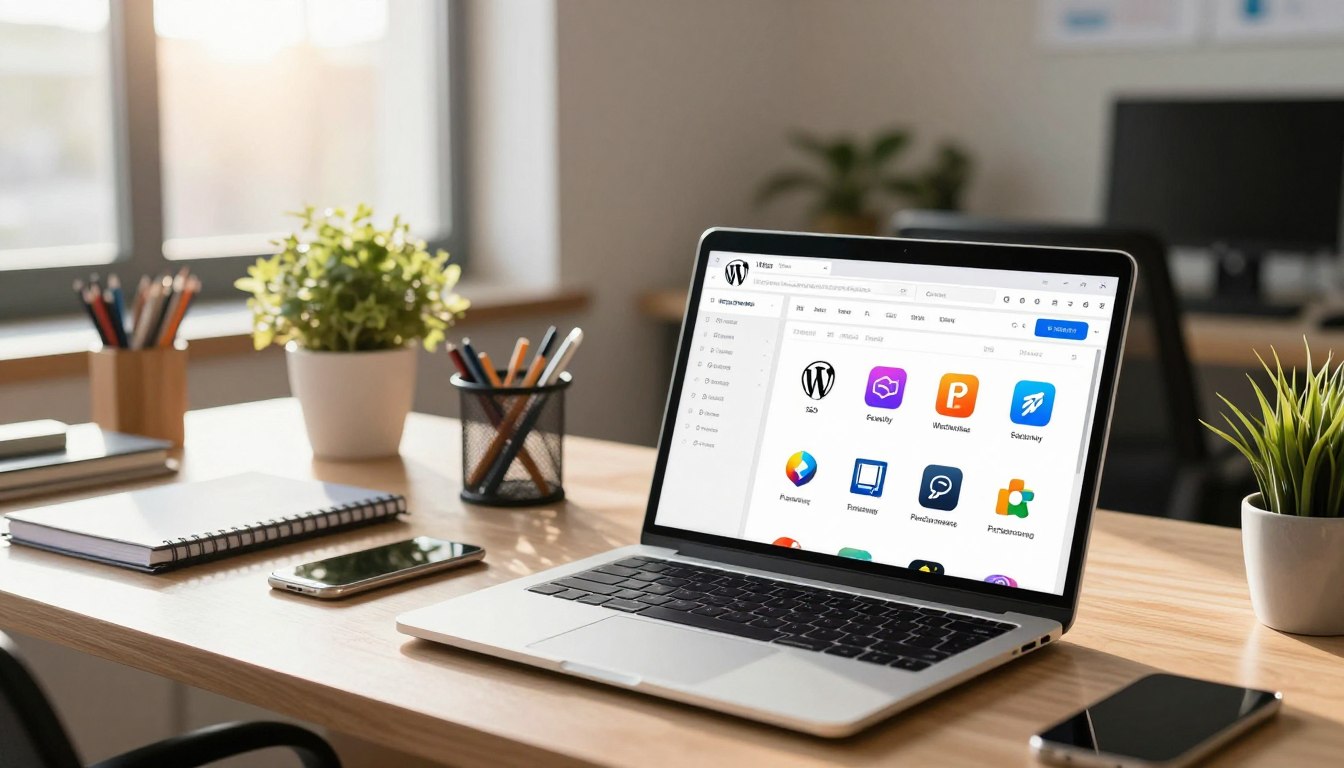


Creating a successful website is more than just setting it up. Essential WordPress Plugins can turn a simple site into a powerful online platform. These tools add features like better security and SEO.

Knowing how to pick and keep these plugins is key for growth. A good plugin management guide helps you avoid problems like slow sites or conflicts. By choosing your plugins wisely, your site stays fast, safe, and easy to use.
Learning to manage plugins well is the first step to success. Focus on quality, not quantity, to build a strong site that meets your business needs and enhances user experience.
Key Takeaways
- Plugins are vital for extending site functionality beyond basic features.
- A curated selection of tools turns a simple site into a professional platform.
- Effective management prevents performance issues and security vulnerabilities.
- Quality should always take priority over the total number of installed tools.
- Proper maintenance ensures long-term website stability and success.
The Foundation of a High-Performance WordPress Site
Creating a fast website begins with choosing the right tools. When picking Essential WordPress Plugins, focus on quality over quantity. Each plugin uses server resources, which can slow your site and hurt user experience.
To keep your site quick, regularly check your plugins. A simple library is key for a stable and fast site. Follow these WordPress performance tips to keep your site light:
- Audit your plugins: Get rid of unused or unnecessary plugins.
- Check for conflicts: Use tools to find plugins causing problems.
- Prioritize quality: Choose plugins known for being updated and efficient.
It’s important to know how your site uses server resources. By watching resource use, you can see which Essential WordPress Plugins are worth it. Using these WordPress performance tips helps your site grow with your traffic.
Essential WordPress Plugins for Security and Protection
Every site owner needs strong defenses to protect their digital assets from cyber threats. Using WordPress security plugins is the best way to watch your traffic and stop bad actors. This keeps your data safe and your site running smoothly.
Wordfence Security vs. Sucuri Security
When choosing between top solutions, consider your needs. Wordfence is known for its strong firewall and malware scanner. It checks traffic in real-time against a huge database of threats.
Sucuri works as a cloud proxy, filtering out bad traffic before it hits your server. This can save your hosting resources while keeping your site secure. Both WordPress security plugins have their own strengths, depending on your site.
| Feature | Wordfence | Sucuri |
|---|---|---|
| Firewall Type | Endpoint (On-site) | Cloud-based (WAF) |
| Malware Scanning | Deep Server Scan | Remote Site Check |
| Ease of Setup | High | Moderate |
| Performance Impact | Low to Medium | Minimal |
Implementing Two-Factor Authentication
Adding two-factor authentication (2FA) is crucial for admins. It asks for a code from your mobile, making it hard for hackers to get in. Most WordPress security plugins offer this feature.
2FA stops brute-force attacks on your login page. Consistency is key for admins. Make sure all high-permission accounts have 2FA on. These steps make your site much harder to hack and protect your data.
Optimizing Site Speed with Caching Plugins
Speed is key for a successful website. Caching is the engine that keeps it running smoothly. When users visit your site, they expect fast results. This is why site speed is crucial for keeping visitors and boosting sales.
Using the best caching plugins helps a lot. They serve static files to visitors, which lightens the load on your server.
WP Rocket Features and Performance
WP Rocket is a top choice for quick results without hassle. It starts applying WordPress performance tips like page caching and GZIP compression right away. This makes it a go-to for those who value simplicity.
This tool also minifies CSS and JavaScript files. This makes your files smaller, so browsers can show your content faster. You’ll see a big boost in your site’s performance, helping you stay ahead in search results.
W3 Total Cache Configuration
W3 Total Cache is great for those who want detailed control. It’s very flexible, letting you tweak how your site handles database queries and caching. Getting this right is key to fast site speed, even with lots of visitors.
To get the best out of it, choose the right caching methods for your host, like Redis or Memcached. The setup might take more time, but the performance gains are worth it. Fine-tuning these settings keeps your site running smoothly, even when it’s busy.
SEO Plugins to Boost Your Search Rankings
Modern SEO optimization tools are key for any website owner wanting more organic traffic. These plugins make complex tasks easy. This lets you focus on creating great content while the software does the hard work.
Yoast SEO vs. Rank Math
Deciding between Yoast SEO and Rank Math depends on your needs and comfort level. Yoast SEO is known for its easy-to-use interface. It helps beginners with basic optimization steps.
Rank Math offers a more flexible approach. It has advanced features without needing extra add-ons. Many users like Rank Math for its customization options and schema markup support.

| Feature | Yoast SEO | Rank Math |
| Interface | Beginner-friendly | Advanced/Modular |
| Schema Markup | Basic | Advanced/Custom |
| Redirect Manager | Premium Only | Included in Free |
| Setup Wizard | Guided | Automated |
Technical SEO Settings for Better Indexing
Your site needs to be set up right for search engines to find your pages. Good SEO optimization tools help by making XML sitemaps automatically. This speeds up how search bots find your new content.
Don’t forget about your robots.txt file and canonical tags. They stop duplicate content and tell search engines which pages to index.
Keeping your technical settings clean is crucial. Regular checks help your site stay healthy and visible. This is key for improving your search rankings over time.
Leveraging Free Domain and Hosting for WordPress Success
You don’t need a big budget to have a professional online presence. Many new website owners start with a free domain and hosting package. This lets them try different themes and plugins without spending a lot of money.
Why Freedomainnow.com Matters for New Sites
Platforms like Freedomainnow.com are great for beginners. They let you start without worrying about server costs. This way, you can focus on creating great content and designing your site.
Testing your ideas in a live environment is the best way to see what works. It helps you learn what your audience likes.
- Lower barrier to entry for startups and hobbyists.
- Immediate access to essential web tools.
- Ability to pivot your site strategy without sunk costs.
Integrating Free Hosting with Plugin Performance
Keeping your site fast on free platforms takes some planning. Even with secure WordPress hosting, watch how much resources your plugins use. Too many heavy plugins can slow down your site.
To keep your site quick, choose lightweight plugins that do what you need. Check your plugins often to make sure they don’t slow down your site. A lean installation means your site will be fast and reliable for everyone.
Advanced Infrastructure: VPS Server 2026 and Free RDP
As your WordPress site grows, shared hosting can’t keep up. Sites with lots of traffic face problems on basic hosting. This is because many plugins need the same resources.

Benefits of VPS Server 2026 for Plugin Heavy Sites
Switching to a VPS server 2026 gives your site the power it needs. It’s different from shared hosting because it guarantees CPU and RAM for your site.
This setup is crucial for sites with big plugins. It keeps your site running smoothly, away from other users. This stops slowdowns that happen when sites grow.
Utilizing Free RDP for Remote WordPress Management
Managing your site well needs more than just a dashboard. Many experts use Free RDP access to control their servers from anywhere.
This way of remote server management lets you do complex tasks easily. You can update files and check how your site is doing. It’s all done securely, so your actions are protected.
By mixing a strong virtual environment with easy access tools, you build a resilient foundation for your site. This setup lets you grow without worrying about hardware or admin limits.
Essential Plugins for Backup and Disaster Recovery
A good maintenance plan needs solid WordPress backup solutions. Data loss can happen from hacking, server crashes, or mistakes. So, it’s crucial to have a backup plan. Using disaster recovery plugins keeps your content safe and ready to go back online anytime.
UpdraftPlus Features
UpdraftPlus is a top pick for those who want easy and effective backup. It lets you set up automatic backups. This way, your latest changes are saved without you having to do anything.
- One-click restoration for quick site recovery.
- Support for multiple storage locations including Dropbox and Google Drive.
- Detailed logs to monitor the success of every backup task.
This plugin is great for big sites, offering peace of mind during updates or theme changes. It helps reduce downtime and keeps your digital stuff safe.
Automated Cloud Backup Strategies
Storing backups on the same server as your site is risky. If the server goes down, you lose everything. Using automated cloud backup strategies keeps your data safe in a different place.
| Feature | Local Storage | Cloud Storage |
|---|---|---|
| Security | Low | High |
| Accessibility | Limited | Universal |
| Reliability | Risk of loss | Redundant |
To keep your site safe, set up cloud syncing with trusted providers. This way, your business stays up and running even when big tech issues happen. Always check your backups to make sure they’re complete and ready to use.
Enhancing User Experience with Form and Contact Plugins
Connecting your business with your audience is key. Easy-to-use contact forms help a lot. They make it simple for visitors to get in touch. This leads to more engagement with your brand.
Using top-notch user experience plugins keeps your site user-friendly and professional. This is crucial for a good online experience.
WPForms vs. Contact Form 7
Choosing the right tool depends on your comfort level. WPForms is great for beginners with its drag-and-drop builder. It’s easy to use and saves time.
Contact Form 7 is perfect for developers who like a lightweight, flexible option. It doesn’t have a drag-and-drop interface but offers detailed control. Users pick based on ease of use or customization.
Improving Conversion Rates with Smart Forms
Smart design is key to turning visitors into loyal customers. Using conditional logic, you can make forms shorter and more relevant. This approach reduces friction and boosts submission rates.
Consider multi-page forms for longer data collection. Breaking a form into steps prevents user fatigue. This strategy is vital for businesses aiming to increase leads.
| Feature | WPForms | Contact Form 7 |
|---|---|---|
| Ease of Use | Excellent (Drag & Drop) | Moderate (Requires Coding) |
| Customization | High (Add-ons) | Very High (Manual) |
| Performance | Optimized | Very Lightweight |
| Support | Dedicated Support | Community Forums |
Managing Media and Image Optimization
Big image files often slow down websites and hurt search rankings. Visitors want fast loading times, but big media files can block that. Good media optimization keeps images quality high while cutting server load.
Smush Image Compression
Smush is a top image compression tool for WordPress. It removes hidden data from images without losing quality. This makes your site load faster for everyone.
Smush works automatically when you upload images. You can also optimize your whole library quickly. This makes keeping your site fast easy without needing to do it all by hand.
Lazy Loading Techniques for Faster Page Loads
Lazy loading changes how media loads on your site. It only loads images as you scroll down. This immediate improvement in load time is key for a good user experience and search rankings.
Lazy loading focuses on showing content first. This smart resource management saves data and keeps your site fast, even on slow connections. Using these image compression tools and strategies keeps your site competitive and efficient.
Analytics and Tracking Plugins for Data-Driven Decisions
You can’t improve what you don’t measure. This makes analytics key for WordPress owners. Using website analytics plugins helps you move from guessing to making decisions based on data-driven website growth. You get to see how visitors interact with your content, helping you make better choices for your site.
MonsterInsights for Google Analytics
MonsterInsights is a top choice for linking your site to Google Analytics easily. It brings your key metrics right into your WordPress dashboard. This saves you time and effort. It’s crucial for data-driven website growth because it shows you which pages work best and where your visitors come from.
Tracking User Behavior and Plugin Impact
Good website analytics plugins do more than count page views. They show how users move through your site. You can track things like button clicks and form submissions to see what users want. This helps you know where to improve to keep visitors interested.
It’s also key to see how your plugins affect your site’s speed. Some plugins might slow down your site, hurting your search rankings. By watching your site’s metrics and plugin activity, you can make sure your setup helps, not hinders, your success.
Conclusion
Mastering your website needs a smart plan for software and setup. This guide is your map to keep your WordPress site safe, fast, and working well.
You know how to keep your site secure and fast. Choosing the best tools for backups, forms, and analytics makes your site easy to use. Regular checks keep your site safe from new threats.
Doing well online means you must keep improving your tech. Use this guide to check your setup often. Making small changes to caching, images, and servers can really help your site.
Your focus on good infrastructure is key for growth. Start using these tips now to make your site better. A well-optimized site is the base for reaching your goals and connecting with your audience.
FAQ
Why are WordPress plugins considered essential for site functionality?
WordPress plugins are key to making a basic site into a powerful platform. They add features like security and SEO without needing to code. Keeping your plugins up to date helps your site stay fast and reliable.
How do I maintain a high-performance site while using multiple plugins?
To keep your site fast, choose lightweight plugins that don’t slow it down. It’s important to check how each plugin affects your site. A well-chosen set of plugins is the secret to a speedy site.
Which security plugin is better: Wordfence Security or Sucuri Security?
Wordfence Security and Sucuri Security both offer strong protection. Wordfence works on your server, while Sucuri uses the cloud. Adding Two-Factor Authentication (2FA) is a must to keep your site safe.
How can caching plugins like WP Rocket and W3 Total Cache improve site speed?
Caching plugins like WP Rocket and W3 Total Cache make your site load faster. WP Rocket is easy to use, while W3 Total Cache offers more options. Setting them up right can boost your site’s speed and search rankings.
Should I use Yoast SEO or Rank Math for my search engine optimization?
Choosing between Yoast SEO and Rank Math depends on what you need. Yoast is reliable and checks your content’s readability. Rank Math has a modern look and more features. Both make SEO easier for search engines to find your content.
Where can I find a reliable free domain and hosting for a new WordPress site?
For a free domain and hosting, check out https://freedomainnow.com/. It’s a great way to start without spending money. Even with basic hosting, you can still make your site fast by optimizing it well.
When should I consider upgrading to a VPS Server 2026?
When your site gets busier or you need more plugins, it’s time for a VPS server 2026. It gives you the power you need for big WordPress sites. Plus, free RDP lets you manage your server safely from anywhere.
What makes UpdraftPlus a preferred choice for disaster recovery?
UpdraftPlus is top for backups because it makes them easy and automatic. It helps you get back up and running fast if something goes wrong. Storing backups in the cloud keeps them safe and easy to get to.
What are the differences between WPForms and Contact Form 7 for user engagement?
WPForms is great for beginners because it’s easy to use and makes smart forms fast. Contact Form 7 is for developers who want more control. Both are key for talking to your visitors and getting leads.
How do Smush and lazy loading techniques benefit mobile users?
Big images slow down mobile sites. Smush makes images smaller without losing quality. Lazy loading means content only loads when you need it, making sites faster and better for mobile users.
How does MonsterInsights help in making data-driven decisions?
MonsterInsights puts Google Analytics in your WordPress dashboard. It lets you see how users interact with your site in real-time. This helps you understand how your plugins and marketing work, so you can make better choices for your site.
Leave a Reply