

Are your business emails landing in spam instead of your customers’ inboxes? This can affect sales enquiries, invoices, support replies, appointment confirmations, and other important communication.
Spam placement does not always mean your email content is the problem. It can also result from missing email authentication, poor sender reputation, incorrect DNS records, sending practices recipients do not expect, or problems with the mail server’s configuration.
The good news is that you can investigate these issues systematically. By checking authentication, reviewing delivery errors, maintaining a clean recipient list, and sending relevant messages at a reasonable rate, you can improve your email setup.
This guide explains how to stop legitimate business emails from going to spam, including email accounts hosted through cPanel.
Key Takeaways
- Configure SPF and DKIM correctly, and publish a suitable DMARC policy for your domain.
- Check your mail server’s DNS, encryption, and authentication settings.
- Send messages only to people who expect and want to receive them.
- Remove invalid addresses and honor unsubscribe requests.
- Investigate bounce-back messages instead of repeatedly resending failed emails.
- Monitor sender reputation and spam complaints where tools are available.
- Understand that no configuration guarantees every message will reach the inbox.
1. Understand Why Business Emails Go to Spam
Email providers use multiple signals to decide whether a message should reach the inbox, be placed in spam, or be rejected.
Common causes include:
- Missing or incorrect SPF, DKIM, or DMARC configuration
- A sending IP address or domain with a poor reputation
- Messages sent to people who did not request them
- High complaint rates or repeated delivery failures
- Incorrect mail server DNS configuration
- Misleading sender names or suspicious links
- Sending patterns that differ significantly from normal activity
- Technical errors in the message or mail server setup
A message can pass authentication and still go to spam. Likewise, a well-written message may be rejected if the sending server is misconfigured.
Start by identifying which messages are affected. If only one recipient rejects your emails, the problem may be specific to that recipient’s provider or filtering rules. If messages to multiple providers are affected, investigate your domain, mail server, and sending practices.
2. Configure SPF, DKIM, and DMARC
Email authentication is one of the most important technical checks for a business domain.
SPF: Authorize your sending servers
Sender Policy Framework, or SPF, identifies the servers permitted to send email for your domain.
Your DNS provider publishes an SPF record as a TXT record. The value must authorize the services that actually send your messages.
For example, Google Workspace provides an SPF value for organizations that send email only through its service:
v=spf1 include:_spf.google.com ~allDo not copy this example blindly. It is appropriate only for the corresponding sending setup. If your email is hosted in cPanel or sent through other services, use the records specified by those providers.
Important SPF practices:
- Identify every legitimate service that sends email for your domain.
- Maintain one valid SPF policy record per hostname.
- Update the record when you change email providers.
- Avoid authorizing services that no longer send email for you.
- Verify that the record does not exceed SPF’s DNS lookup limit.
Official guide: Google’s SPF setup instructions.
DKIM: Sign outgoing messages
DomainKeys Identified Mail, or DKIM, adds a cryptographic signature to outgoing email. Receiving servers can use the corresponding public key in DNS to verify the signature.
If you use cPanel, open the Email Deliverability interface if it is available. It may show whether DKIM and SPF are configured correctly and provide recommended DNS records.
If your domain’s DNS is managed elsewhere, publish the records with that DNS provider rather than assuming cPanel can update them automatically.
After making changes, allow time for DNS updates to propagate and test a newly sent message.
DMARC: Define how authentication failures are handled
Domain-based Message Authentication, Reporting, and Conformance, or DMARC, builds on SPF and DKIM. It lets domain owners specify how receiving servers should handle messages that fail DMARC alignment and can provide reports about authentication results.
A cautious starting policy may look like this:
v=DMARC1; p=none; rua=mailto:dmarc-reports@example.comThis is an illustrative example. Replace the reporting address with a mailbox you control and configure it to receive DMARC reports. Confirm that your DNS provider supports the record format.
A p=none policy requests monitoring without asking receivers to quarantine or reject messages solely because of DMARC failure. After you identify all legitimate sending services and resolve authentication problems, you can consider a stricter policy.
Do not move directly to quarantine or reject without understanding your email setup. A misconfigured policy can affect legitimate messages.
Official guide: Google’s DMARC rollout recommendations.
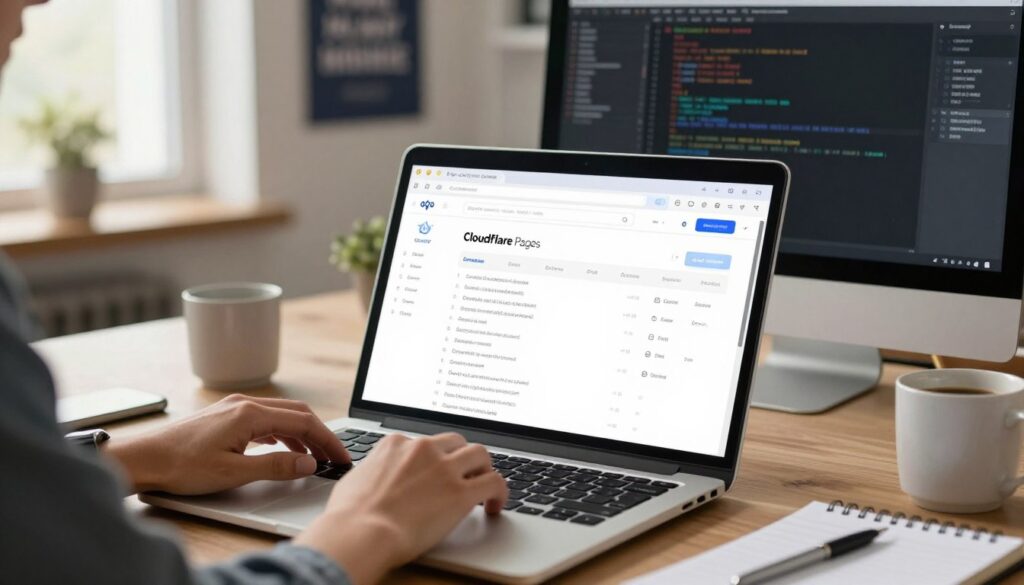
3. Check Your cPanel Email Configuration
If you use cPanel-hosted business email, review the domain and mail server configuration before changing providers.
Step 1: Sign in to cPanel
Open cPanel using the login address supplied by your hosting provider.
Step 2: Open Email Deliverability
Look for Email Deliverability under the Email section. Depending on your host, this interface can identify authentication issues and display recommended records.
Step 3: Review SPF and DKIM
Check whether cPanel reports any problems. If a record is missing or incorrect, follow the recommended configuration for your hosting environment.
If your domain uses external DNS, make sure the required records are published at the authoritative DNS provider.
Step 4: Verify MX records
MX records tell other mail servers where to deliver incoming messages. Incorrect MX records can disrupt incoming email and indicate that the domain’s mail setup is not aligned with your intended provider.
MX records do not, by themselves, authenticate your outgoing email. Check SPF, DKIM, and DMARC separately.
Step 5: Test a new message
Send a message to an account you control at a different provider. Review the message headers or authentication results to see whether SPF, DKIM, and DMARC pass.
Use your hosting provider’s documentation if the settings shown in cPanel differ from these instructions.
4. Check Your Sending Server’s DNS and Security
Authentication records are only part of the setup. Some receiving providers also require or evaluate the sending server’s DNS and connection security.
Check the following with your hosting or email provider:
- Forward DNS: The relevant hostname resolves correctly.
- Reverse DNS: The sending IP address has an appropriate PTR record where required.
- TLS encryption: The server uses a secure connection when transmitting email.
- Message format: Messages follow standard email formatting requirements.
- Server reputation: The sending IP address is not affected by a known reputation or abuse problem.
For shared hosting, you may not control the sending IP address or reverse DNS. Ask your provider to investigate if the IP has a poor reputation or the required DNS records are missing.
Google’s official Email sender guidelines explain its requirements for senders delivering messages to personal Gmail accounts.
5. Send Emails Only to People Who Expect Them
Technical authentication cannot compensate for unwanted email.
If recipients do not recognize your business, never requested your messages, or frequently mark them as spam, your sender reputation can suffer.
Use permission-based mailing lists
For newsletters and promotional emails:
- Collect addresses through a clear signup process.
- Explain what subscribers will receive.
- Confirm addresses where appropriate.
- Keep a record of consent where required.
- Remove invalid addresses and repeated hard bounces.
- Honor unsubscribe requests promptly.
- Do not use purchased or scraped email lists.
A business card exchange or public email address does not automatically mean someone has consented to receive ongoing marketing messages.
For one-to-one business communication, keep messages relevant to the recipient and follow applicable privacy and anti-spam laws.
6. Reduce Spam Complaints and Unsubscribes
Recipients should be able to understand who sent the message and why they received it.
Use a recognizable sender name
Use your business or organization name consistently. Avoid misleading display names, fake replies, or subject lines that pretend the recipient has already agreed to something.
Write clear subject lines
A subject line should accurately describe the message. Avoid deceptive urgency, false claims, or wording unrelated to the email’s actual content.
Make promotional emails easy to unsubscribe from
Marketing and subscription messages from bulk senders to Gmail accounts must meet Google’s applicable unsubscribe requirements, including one-click unsubscribe. A visible unsubscribe link in the message body is also required for the relevant promotional messages.
Honor unsubscribe requests rather than continuing to send campaigns to people who opted out.
Official source: Gmail sender guidelines FAQ.
Monitor spam complaint rates
Google recommends keeping user-reported spam rates below 0.1% and preventing them from reaching 0.3% or higher. These figures are sender guidance for Gmail, not a guarantee of inbox placement or a universal threshold for every email provider.
If complaints rise, review list acquisition, message relevance, sending frequency, and whether recipients clearly opted in.
7. Avoid Sudden or Unusual Sending Patterns
Sending a large volume of messages suddenly from a new domain or an unfamiliar server can create deliverability problems.
If you are moving to a new provider or beginning a legitimate mailing program:
- Verify your domain and authentication first.
- Send expected messages to people who requested them.
- Use a reasonable sending volume for your actual audience.
- Monitor bounces, complaints, and delivery errors.
- Investigate unusual changes before increasing volume further.
Do not use artificial warm-up schemes that send unsolicited messages, fake engagement, or manipulate reputation signals. Do not rotate domains or accounts to bypass spam controls.
For larger campaigns, use a reputable email service that supports authentication, unsubscribe handling, bounce management, and delivery monitoring.
8. Review Message Content and Links
Email content can affect filtering, although there is no universal list of words that guarantees spam placement.
Review messages for:
- Misleading claims or deceptive subject lines
- Suspicious or broken links
- Unexpected attachments
- Excessive image-only content with little context
- Poorly formatted HTML
- Links to compromised or untrustworthy websites
- Sender details that do not match the business
Use clear, readable text and make sure links point to the destination described in the message. Include a useful plain-text alternative when your email platform supports it.
Do not rely on removing a few words such as “free” or “offer” as a complete solution. Authentication, reputation, recipient expectations, and technical setup are often more important.
9. Monitor Email Delivery and Sender Reputation
If messages continue to go to spam, collect evidence before making major changes.
Use Google Postmaster Tools
Google Postmaster Tools provides eligible senders with information about Gmail delivery, authentication, spam complaints, and other diagnostic signals.
It may not show complete data for low-volume senders, and it does not guarantee that every email will reach the inbox.
Visit Google Postmaster Tools.
Read bounce-back messages
A bounce message often contains a code or explanation that helps identify the problem.
| Error or symptom | What to investigate |
|---|---|
| Authentication failure | SPF, DKIM, DMARC, and domain alignment |
| Mailbox unavailable | Recipient address and recipient server |
| Message rejected for policy reasons | Sending reputation, content, and recipient-provider rules |
| Sending rate exceeded | Provider limits and recent sending volume |
| Mailbox full | Recipient storage or quota |
| Connection or TLS error | Server configuration and secure connection settings |
These are general categories, not definitive diagnoses. Read the full error text and consult the receiving provider’s documentation.
Check headers when possible
If a message arrives in spam, inspect its original headers or authentication details. Look for SPF, DKIM, and DMARC results and compare them with the sending service’s configuration.
If a message is rejected before delivery, use the bounce details and sending-server logs instead.
10. When Should You Change Your Email Hosting Provider?
Changing hosting providers may help when the current service has persistent technical problems, an unreliable mail server, or a poor sending IP reputation that the provider cannot resolve.
Consider a move if:
- The provider cannot correct authentication or DNS problems.
- The sending IP has ongoing reputation issues.
- Delivery is unreliable across multiple recipient providers.
- Your business needs stronger monitoring, support, or email security.
- Your message volume exceeds the service’s practical limits.
Before migrating, plan mailbox transfers, DNS changes, SPF and DKIM updates, DMARC alignment, and a final delivery test.
Do not change providers simply because one message reached spam. First identify whether the problem is specific to the recipient, the message, the domain, or the sending server.
Practical Troubleshooting Checklist
Use this checklist when legitimate business emails are landing in spam.
- Confirm that the recipient address is correct.
- Review the bounce-back message or spam-folder headers.
- Verify the domain’s SPF record.
- Confirm DKIM signatures pass for outgoing messages.
- Publish and verify a suitable DMARC record.
- Check MX records and sending-server DNS with your provider.
- Confirm that secure mail transmission is configured.
- Remove invalid recipients and honor unsubscribe requests.
- Review recent changes in sending volume and recipient complaints.
- Check Google Postmaster Tools if enough eligible Gmail traffic is available.
- Ask the provider to investigate server reputation or configuration issues.
- Test the changes with new messages and monitor the results.
Frequently Asked Questions
Why do my business emails go to spam?
Possible reasons include missing authentication, poor domain or IP reputation, unwanted messages, high complaint rates, or server configuration issues. Check message headers, DNS records, and bounce errors to narrow down the cause.
Does SPF alone prevent emails from going to spam?
No. SPF authorizes sending servers, but it does not guarantee inbox placement. DKIM, DMARC, sender reputation, recipient expectations, and other signals also matter.
Do I need SPF, DKIM, and DMARC?
Google requires all senders to Gmail accounts to set up SPF or DKIM, while bulk senders sending 5,000 or more messages per day to Gmail accounts must configure SPF, DKIM, and DMARC and meet additional requirements. Configuring all three is a sensible goal for many business domains. Check the current provider-specific requirements before making changes.
Can cPanel fix email deliverability?
cPanel may help you identify and configure authentication records, depending on your hosting environment. It cannot independently fix every issue, such as a poor shared sending IP reputation or a recipient marking messages as spam. Your hosting provider may need to investigate server-level problems.
Will buying a dedicated IP solve spam problems?
Not necessarily. A dedicated IP changes the sending environment but does not guarantee a good reputation or inbox placement. It also requires correct configuration and responsible sending practices. Evaluate it only if your provider can explain why it is appropriate for your volume and setup.
How long does it take for emails to stop going to spam after fixing DNS?
There is no guaranteed timeline. DNS changes need to propagate, and reputation signals can take time to improve. Continue monitoring authentication results, delivery errors, and complaints instead of assuming that one successful test means the problem is permanently resolved.
Should I use a separate email marketing service?
A dedicated email marketing platform may be a better fit for newsletters and larger campaigns because it can provide list management, unsubscribe handling, bounce processing, and delivery analytics. You still need to configure your domain correctly and follow the service’s policies.
Conclusion
Stopping business emails from going to spam requires a combination of correct technical configuration and responsible sending practices.
Start by checking SPF, DKIM, DMARC, server DNS, and the actual error messages. Then review your recipient list, sending volume, message content, and complaint rate. If you use cPanel, the Email Deliverability interface and your hosting provider’s support team can help diagnose configuration problems.
Monitor results after each change, and avoid promises that a single DNS record, a paid hosting plan, or a particular subject line will guarantee inbox delivery.
The best long-term strategy is to authenticate your domain, send relevant messages to people who expect them, and fix delivery problems using evidence rather than guesswork.

Other Articles

How to Create Unlimited Business Emails With cPanel
7 Best Free Email Hosting Providers in 2026




No Comment! Be the first one.