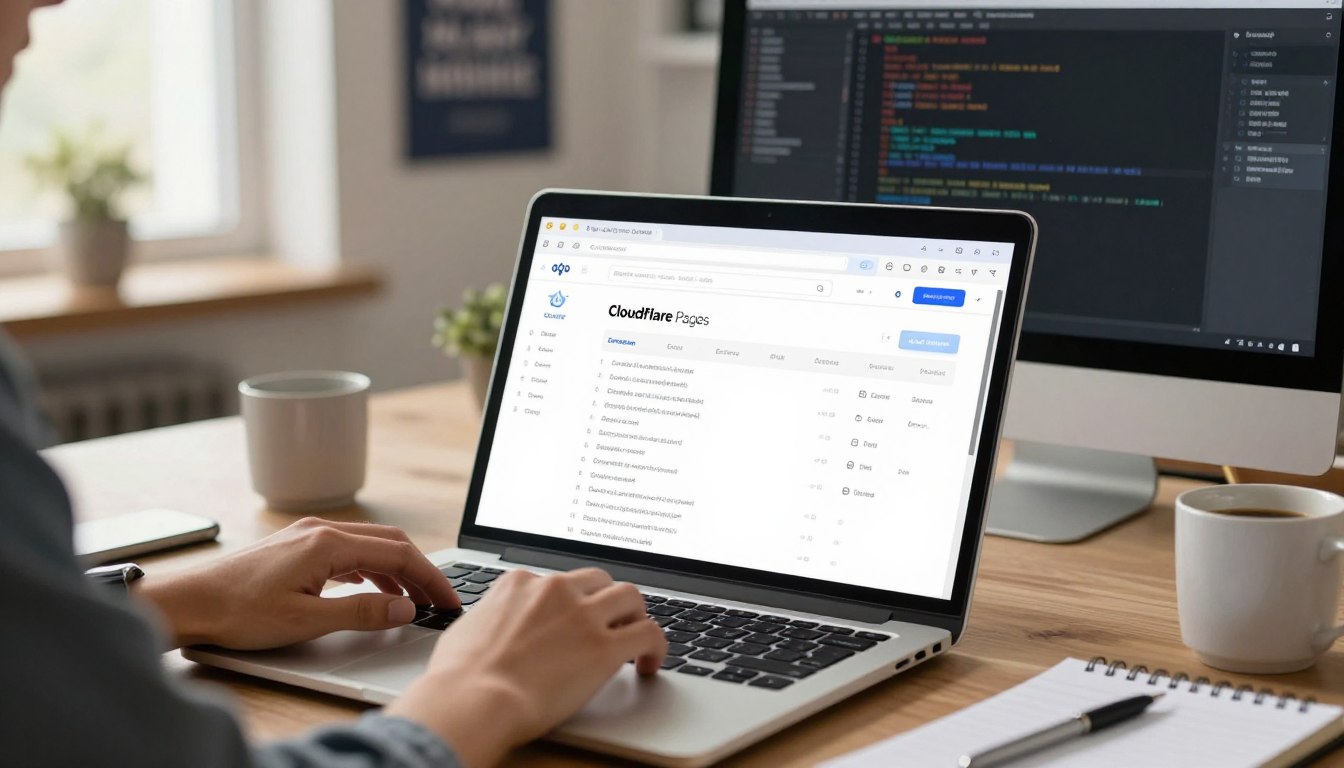


Starting a professional web presence means linking your unique web address to your hosting platform. This guide will show you how to Connect a Custom Domain to Cloudflare Pages easily. Whether it’s for a portfolio or a business site, a branded URL builds trust with your audience right away.

Our detailed Cloudflare Pages tutorial makes the technical setup simple for all. We guide you through each step, ensuring your static site works perfectly under your name. You’ll learn the essential technical skills to manage your web infrastructure like a pro.
This guide is great for students and developers who want to create high-performance websites easily. Just follow these clear steps to set up your site and go live today.
Key Takeaways
- Learn how to link your unique URL to your static site hosting.
- Improve your professional brand identity with a verified web address.
- Follow a simple, step-by-step workflow designed for developers.
- Gain confidence in managing your own web infrastructure settings.
- Deploy high-performance websites without dealing with complex configurations.
Understanding the Benefits of Custom Domains for Cloudflare Pages
Getting a custom domain makes your project look more professional. Default subdomains are good for testing but not for serious sites. A custom domain shows your project is established and reliable.
Using your own domain is key for web hosting performance optimization. It lets you control how your site shows up in search results. This means you can build SEO that stays with your brand, no matter where your files are hosted.
Switching from default subdomains has many benefits for developers and business owners:
- Enhanced Brand Recognition: A unique domain is easier for users to remember and share.
- Improved SEO Authority: Search engines favor domains with a clear history and branding.
- Professional Trust: Visitors trust sites with custom URLs more.
- Strategic Flexibility: You can change hosting without changing your web address.
Adding a custom domain to your workflow boosts web hosting performance optimization. You can manage DNS records for better security and caching. This keeps your site fast, secure, and optimized for your users.
Leveraging Free Resources at Freedomainnow.com
Freedomainnow.com offers a unique set of tools to help creators start projects fast. It provides the basic infrastructure, so developers can focus on making quality apps. Using free domain hosting is a smart choice for quick digital presence.
Accessing Free Domain Hosting and SSL VPS Services
The platform makes web development easier by combining key services. It offers an integrated SSL VPS server for security and power. This is perfect for testing new ideas or small production sites.
“The best way to predict the future of web development is to provide developers with the tools they need to build it today.”
Utilizing Google AI Pro for Students for 18 Months
Students often struggle with needing advanced tech but can’t afford it. Freedomainnow.com helps by giving access to Google AI Pro for students for 18 months. This is great for tackling:
- Complex coding challenges and debugging.
- Automating deployment workflows.
- Learning modern cloud architecture patterns.
Understanding the No Hidden Charge Policy
Transparency is key for the platform. It has a strict no hidden charge policy, making sure services stay accessible. This promise of no extra fee hosting lets developers budget without worry.
Reliability and honesty are the service’s core. By removing financial hurdles, it encourages a new wave of developers to innovate freely.
Preparing Your Domain for Cloudflare Integration
Having full control over your DNS records is key for a smooth setup. Before you start, make sure your account is ready for changes. Proper preparation helps avoid mistakes later on.
Verifying Domain Ownership and DNS Access
First, check if you have admin rights to your domain registrar DNS settings. Without these, you can’t make the necessary changes. Log in to your registrar dashboard to see if you can edit zone files freely.
If your domain was bought from a third party, check if your account is unlocked. Verifying ownership early helps solve permission problems before they affect your site. Always keep your login details safe while doing these tasks.
Configuring Initial DNS Settings
After confirming access, start the Cloudflare DNS configuration. This means setting up your zone to handle traffic by mapping your records correctly. A clean setup keeps your site stable while you switch to the new service.
Review your current records before making any changes. Here’s a table to help you manage the key components during this transition:
| Record Type | Purpose | Action Required |
|---|---|---|
| A Record | Points domain to an IP | Update to new server |
| CNAME | Alias for subdomains | Verify target destination |
| MX Record | Directs email traffic | Ensure no service loss |
| TXT Record | Domain verification | Keep existing entries |
Organizing your records reduces downtime risk. Careful planning here ensures a smooth experience for your visitors.
Initiating the Connect a Custom Domain to Cloudflare Pages Process
The next step is to link your domain name to your live web app. When your domain is ready, start the technical steps to Connect a Custom Domain to Cloudflare Pages. You’ll use the easy-to-use management interface.
Navigating to the Cloudflare Pages Dashboard
First, log into your account and find the main dashboard. You’ll see your active projects listed. Just click on the project you want to link to your new domain to open its settings.
Selecting Your Project and Custom Domains Tab
In your project settings, look for the navigation menu. It’s usually at the top or side. Choose the Custom Domains tab to start the setup. This is where you’ll add your domain details to initiate the handshake between your registrar and the platform.
Adding your domain here is the last step to map your project to your custom URL. Follow these steps carefully to Connect a Custom Domain to Cloudflare Pages smoothly.
Configuring DNS Records for Cloudflare Pages
Understanding your domain registrar DNS settings is key for a smooth move to Cloudflare. This step connects your domain name to Cloudflare’s fast network. Correct records ensure your site is reachable worldwide.
Understanding CNAME and A Record Requirements
Different DNS records have unique roles. A records link your domain to an IP address. CNAME records are aliases for other domains. For most sites, these records direct traffic to Cloudflare.
When setting up, remember these tips to avoid issues:
- A Records: Use these to point your root domain to the specific IP addresses provided by your hosting environment.
- CNAME Records: These are ideal for subdomains, allowing you to map them to your project’s unique Cloudflare URL.
- TTL Settings: Keep your Time-to-Live values low during the initial setup to allow for faster updates if changes are needed.
“The stability of your web presence depends entirely on the precision of your DNS records. A well-configured system is the silent engine behind every successful website.”
Updating Nameservers at Your Domain Registrar
The last step in your Cloudflare DNS configuration is updating nameservers. This change lets Cloudflare manage your DNS zone. They handle security, caching, and traffic distribution.
Log in to your domain registrar’s control panel. Find the “Nameservers” or “DNS Management” section. Replace the current entries with Cloudflare’s nameservers. After saving, it may take time for changes to spread globally. But, it’s the best way to manage your site’s traffic.
Validating SSL and Security Settings
Security is key for a professional online presence. Protecting user data is crucial to gain trust. With built-in tools, you can keep every visitor’s interaction safe and private.

Enabling Universal SSL Certificates
The Universal SSL certificate setup encrypts traffic between your site and visitors. It’s automatic once you turn it on in your dashboard. This stops hackers from getting your data.
Turning this on gives your visitors a seamless browsing experience. They’ll see a padlock icon, showing your site is secure. This is a must for keeping your site safe.
Configuring HTTPS Redirection for Enhanced Security
After setting up a certificate, turn on HTTPS redirection. This forces all traffic to be secure. Even if someone types your URL wrong, they’ll go to the secure version.
Keeping your site secure boosts your reputation with search engines. It shows you care about user safety. Here’s a table to see the main security benefits.
| Security Feature | Primary Benefit | Implementation Level |
|---|---|---|
| Universal SSL | Data Encryption | Automatic |
| HTTPS Redirection | Traffic Security | Manual Toggle |
| Edge Caching | Performance Boost | Configurable |
Exploring the 30-Day Windows VPS Offer
If you want to grow your online space, the Windows VPS 30-day offer is great for testing. It lets developers try out server-side tech without spending money right away. It’s a smart way to move from simple hosting to a full dynamic backend.
Setting Up Your Windows VPS Environment
Starting your virtual machine is easy and fast. After getting your Windows VPS 30-day offer, you’ll get login details. Then, you can set up software like databases or APIs for your web projects.
Proper configuration is vital for security and performance. Update your OS patches right away after logging in. This makes sure your server is ready for real tasks.
Integrating VPS Services with Your Web Projects
With your server up, connect it to your frontend on Cloudflare. Using an SSL VPS server keeps data safe and private. This is highly recommended for projects with sensitive info or complex data.
Your SSL VPS server can host backend services that work with your frontend. This mix keeps your site fast and flexible. It’s a great way to grow your online presence without breaking the bank during the trial.
Troubleshooting Common Connection Issues
When your website doesn’t load right, a step-by-step check is key. Even with careful setup, technical issues can block your domain from linking to your project. Troubleshooting DNS propagation is a crucial first step to find out why your site is not accessible after setup.
Resolving DNS Propagation Delays
DNS changes don’t happen instantly everywhere. It takes time for global servers to update, causing delays from a few minutes to 48 hours. This wait is part of the global distribution process for domain name systems.
Worried about your domain’s status? Use online tools to check if your changes are live. These tools show if your updates have reached certain areas. To ease the wait, try these steps:
- Clear your browser cache to see the latest version of your site.
- Use tools like dig or nslookup to check if your nameservers are correct.
- Wait the full 48 hours before trying to change your DNS settings again.
Fixing SSL Handshake Errors
SSL handshake errors happen when your domain first connects. They show a problem between your security certificates and server setup. Troubleshooting DNS propagation and SSL settings together can find the main issue.
To fix these security problems, make sure your Universal SSL certificates are set up right. If the issue stays, check your HTTPS settings to ensure they’re set to secure traffic. Proper security is key to keeping your visitors’ trust and making sure your site is always open.
Optimizing Performance with Cloudflare Edge Caching
To get your content to your global audience fast, you need a smart server strategy. Cloudflare edge caching is a key tool that stores your site’s data on servers near your visitors. This cuts down the distance data travels, making your site faster for everyone.

Configuring Cache Rules for Static Assets
For the best results, set up specific rules for your static files. These include images, CSS stylesheets, and JavaScript bundles that rarely change. In the dashboard, you can make rules to cache these files for longer.
With these rules, repeat visitors get fast load times. When a browser asks for a file, it gets it from the nearest edge node, not your server. This reduces your server’s load and keeps browsing smooth.
Monitoring Traffic and Performance Metrics
After setting up your rules, watch how your site performs. The Cloudflare dashboard shows how much traffic is served from the cache versus your server. This lets you spot and fix any slow spots.
Checking your data often keeps your site fast and reliable. If many requests are going to your server, tweak your cache rules. Keeping a close eye on your site ensures it stays quick and dependable as more people visit.
| Caching Strategy | Benefit | Best For |
|---|---|---|
| Standard Caching | Reduced Latency | Static Images |
| Aggressive Caching | Maximum Speed | CSS and JS Files |
| Bypass Cache | Data Accuracy | Dynamic Content |
Maximizing Value with Free One-Year Domain Offers
Setting up your website is easier with free for 1 year domain deals. Many companies offer these deals to help you start without spending a lot. This lets you use your money for creating content and designing your site.
Many platforms also give you free domain hosting for a year. This lets you test your site without paying monthly fees. It’s a great way to start without spending money right away.
These deals mean you get no extra fee hosting for your site. You get tools like SSL certificates and site builders. Here’s a table to show how these deals can save you money on your next project.
| Service Type | Initial Cost | Renewal Benefit | Best For |
|---|---|---|---|
| Promotional Domain | $0.00 | Standard Rate | New Startups |
| Bundled Hosting | $0.00 | Discounted | Personal Blogs |
| SSL Integration | Included | Always Free | Security Focus |
Always check the terms before you sign up for any deal. Even if the first year is free, knowing the renewal cost helps with budgeting. Strategic planning helps keep your site top-notch while enjoying these great offers.
Advanced Configuration for Professional Web Hosting
To take your web project to the next level, you need to master advanced settings. Basic setups are good, but web hosting performance optimization requires more. By using special tools, you can make your site fast, secure, and user-friendly.
Implementing Custom Redirects and Headers
A custom redirect implementation helps manage complex URLs. It’s key when moving content or ensuring users reach the right page. This setup reduces the load on your server.
You can also add custom security headers to protect visitors. These headers tell browsers to follow strict security rules. This helps prevent attacks like cross-site scripting. Proper headers are a sign of a secure, professional site.
Managing Multiple Domains on a Single Project
Many businesses need to manage multiple domains in one project. This is great for sites in different regions or brands with different names but the same content. Cloudflare makes it easy to manage all domains from one place.
Managing everything from one spot saves time and reduces mistakes. You can apply the same security and performance rules to all domains. This is crucial for a professional online presence as your site grows.
| Feature | Primary Benefit | Implementation Level |
|---|---|---|
| Custom Redirects | Improved SEO and UX | Advanced |
| Security Headers | Enhanced Site Protection | Intermediate |
| Multi-Domain Support | Centralized Management | Advanced |
| Performance Rules | Optimized Load Times | Professional |
Conclusion
Building a professional online identity needs the right tools and a clear plan. This Cloudflare Pages tutorial gives you the basics to manage your digital assets well.
You now know how to link custom domains and keep your traffic safe with modern encryption. Using free SSL VPS services helps you grow your projects without spending too much.
Success in web hosting depends on keeping things up to date and tracking performance. Checking your traffic metrics helps you find ways to grow your site.
Keep looking into the advanced features in your dashboard to make your site better. Following this Cloudflare Pages tutorial keeps your site fast, secure, and reliable for all visitors.
Share your progress with the developer community to help others with these technical setups. Your feedback makes future documentation better for everyone.
FAQ
Why is it important to connect a custom domain to Cloudflare Pages?
Using a custom domain gives your site a professional look. It also boosts your SEO. This is key for any Cloudflare Pages guide, helping your brand grow and your site run better.
What free resources are available for students and developers at Freedomainnow.com?
Freedomainnow.com has lots to offer. You get free domain hosting and an SSL VPS server. Students also get Google AI Pro for 18 months. All this is free, with no hidden costs, to help you grow.
How do I begin the process to connect a custom domain to Cloudflare Pages?
Start by checking if you own your domain and have access to your DNS settings. Then, go to the Cloudflare Pages dashboard. Choose your project and start the domain connection process.
Which DNS records are required for a successful integration?
You need to set up CNAME and A records in your DNS. Also, update your domain’s nameservers to Cloudflare. This makes your site faster and more secure.
How does Cloudflare ensure my custom domain remains secure?
Cloudflare gives you Universal SSL certificates. This encrypts data between your server and visitors. By enabling HTTPS, you ensure all traffic is secure, protecting data and building trust.
Can I use a Windows-based environment for my web projects?
Yes, you can use a Windows VPS for 30 days. This lets you run backend services or databases with your Cloudflare Pages frontend.
What should I do if I encounter a “Connection Timed Out” or SSL error?
These problems might take up to 48 hours to fix. For SSL errors, check your encryption settings in Cloudflare. Make sure your DNS is set up right.
Are there any offers available to get a domain free of charge?
Many offers give you a free domain for a year. With free hosting and no extra fees, you can start a professional site without spending anything.
Can I manage multiple domains under a single Cloudflare Pages project?
Yes, Cloudflare lets you manage many domains with one project. This is great for multiple brands or custom redirects. It keeps your site fast and easy to use.
Leave a Reply