

Managing many online platforms can be tough. Many business owners want to save money and time by hosting all their sites on one account. Learning how to host multiple websites on one hosting account is a smart move for anyone wanting to simplify their work.

This guide is for both newbies and those with some experience in the US. It shows how to use www.freedomainnow.com for free domain services, SSL certificates, and a user-friendly website builder. These tools are the perfect foundation for a professional website without spending too much.
We’ll look at the technical steps to keep your sites running smoothly and securely. Hosting all your sites together makes updates and management easier. Let’s explore the best ways to grow your online business.
Key Takeaways
- Consolidating your web presence reduces monthly expenses significantly.
- Platforms like Freedomain Now offer essential tools like SSL and site builders for free.
- Proper configuration ensures that your performance remains stable across all domains.
- Security is a top priority when managing several sites from a single dashboard.
- Beginners can easily scale their digital operations by following these simple steps.
Understanding Multi-Domain Hosting Architecture
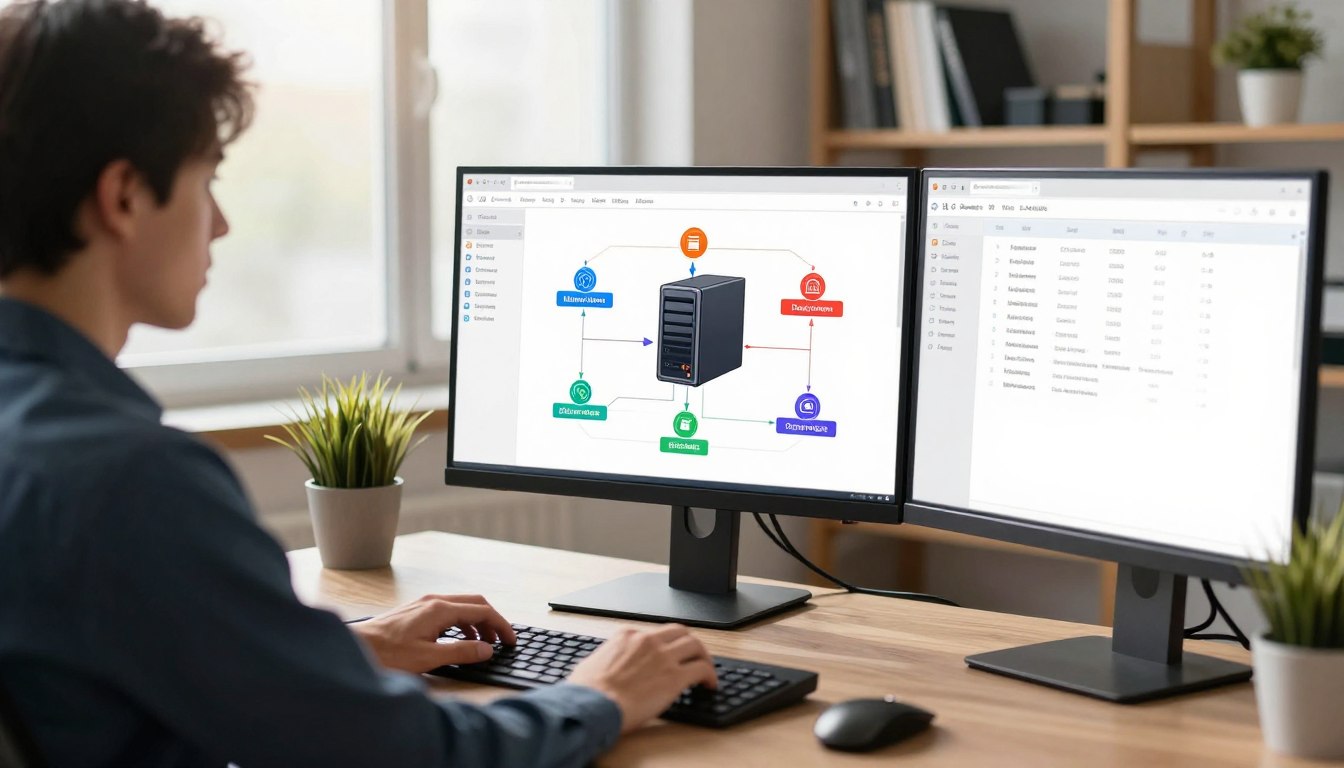
The foundation of efficient web management lies in the technical structure of your hosting environment. By leveraging multi-domain hosting, you can consolidate several distinct websites into one centralized account. This approach simplifies administrative tasks while reducing the overhead costs associated with maintaining separate hosting packages for every project.
The Concept of Addon Domains
At the heart of this architecture are addon domains. These are fully functional websites that operate independently within your primary hosting account. Each domain points to a specific subdirectory on your server, allowing you to manage unique content, themes, and plugins for every site without interference.
Think of your hosting account as a digital apartment complex. While the building shares the same foundation and utility lines, each unit acts as a private space for a different tenant. Using addon domains ensures that your projects remain organized and distinct, even though they share the same underlying server infrastructure.
Resource Allocation and Server Limits
While managing multiple sites is convenient, you must remain mindful of server resource limits. Every hosting plan comes with a finite amount of CPU, RAM, and storage capacity. When you host several websites together, they collectively draw from this shared pool of resources.
If one of your websites experiences a sudden spike in traffic, it may consume a larger portion of the available power. This can potentially impact the performance of your other hosted projects. Monitoring your server resource limits is essential to ensure that your entire portfolio remains stable and responsive for your visitors.
Evaluating Your Hosting Plan Requirements
Before you expand your digital footprint, you must verify that your hosting environment can handle the load. Many users assume that adding a new site is as simple as clicking a button. But failing to audit your shared hosting plans can lead to unexpected downtime.
Taking the time to review your current setup ensures that your existing projects remain stable. Proper planning prevents the common pitfalls that occur when you exceed your allocated capacity.
Assessing Storage and Bandwidth Needs
Every website consumes a portion of your total disk space and monthly data transfer allowance. You should calculate the average file size of your current sites and estimate the growth of your new projects. This helps avoid hitting server resource limits.
Bandwidth is crucial if you expect high traffic volumes. If your combined sites exceed the monthly transfer limit, your host may throttle your connection or suspend your account entirely.
Database and Email Account Limitations
Beyond storage, you must consider the technical caps placed on your account. Most providers limit the number of MySQL databases and email accounts you can create under a single plan.
If you plan to run multiple content management systems, ensure your shared hosting plans allow for enough unique databases. Also, verify that your email quotas are sufficient to support the communication needs of every domain you intend to host. Staying aware of these server resource limits will keep your operations running smoothly as you grow.
How to Host Multiple Websites on One Hosting Account Using Freedomain Now
Wondering how to host multiple websites on one hosting account? Now, there are tools to make it easy. Managing many projects from one place saves time and cuts down on work. Freedomain Now offers a full system to help users of all levels do well online.
Leveraging Free Domain Hosting Features
One big plus of using this platform is free domain hosting. You can add and link your extra domains without extra monthly costs. This lets you grow your online space without spending a lot.
The system makes it easy to handle many domains in one place. By keeping everything together, your DNS and domain settings stay organized. This is key for businesses that have to keep up with several websites at once.
Utilizing the Integrated Website Builder
You also get a free website builder to make professional sites fast. You don’t need to know how to code to make a great site. The drag-and-drop tool lets you make your site look just right for your brand.
The table below shows why this way is better for managing many web projects:
| Feature | Traditional Hosting | Freedomain Now |
|---|---|---|
| Domain Management | Manual/Complex | Integrated/Simple |
| Website Design | External Tools Required | Built-in Builder |
| SSL Security | Paid Add-ons | Included Free |
| Cost Efficiency | High Monthly Fees | Budget-Friendly |
Configuring Your Primary Domain and Account Settings
Setting up your primary domain is key for good website management. A solid setup helps avoid problems when your site grows. It keeps your work organized and efficient as you expand.

Setting Up the Main Control Panel
The main control panel is your site’s command center. Log in and check your domain and contact info. Centralizing your tasks here makes managing projects easier.
“A well-architected hosting environment is the silent engine behind every successful online business.”
Today’s hosting providers have easy-to-use dashboards. Get to know the account settings menu. This ensures your billing, security, and domain settings match your goals.
Managing DNS Records for Multiple Sites
Correct DNS configuration is crucial for directing traffic to the right site. Managing multiple domains means knowing about A records, CNAMEs, and MX records. Wrong settings can cause downtime or email issues, damaging your reputation.
The table below shows the main DNS records you’ll deal with:
| Record Type | Primary Function | Typical Usage |
|---|---|---|
| A Record | Maps domain to IP | Directing web traffic |
| CNAME | Alias for domain | Subdomain routing |
| MX Record | Mail routing | Handling email delivery |
| TXT Record | Verification data | Security and ownership |
Always check your DNS settings after making changes. Correct record management means smooth site visits. This builds a solid base for your growing online presence.
Adding Secondary Websites to Your Hosting Environment
Starting a new project or moving a website is easier with good directory management. Keeping your files organized helps each site stay safe and separate. This makes it easier to manage your hosting account and avoid problems later.
Creating Directories for New Domains
First, go to your hosting control panel and find the file manager. Create a folder for each new project in the public directory. Maintaining a clean directory structure helps you find and manage files as your projects grow.
“Organization is the silent partner of efficiency, when managing multiple digital assets in one place.”
Linking Domains to Specific Folders
After setting up your folders, use addon domains to link your secondary URLs to them. This tells the server which folder to use for each domain. This way, each site works on its own, without affecting others.
Using addon domains wisely helps you use your hosting space better. It lets you grow your online presence while keeping each project separate and running smoothly. This approach supports long-term growth and stability.
Implementing SSL Certificates for Every Website
Securing your online presence is more than just a domain name. It needs strong encryption for every site. In today’s world, SSL certificates are key to protecting data between your server and visitors.
The Importance of HTTPS for Multiple Domains
Running several websites means keeping security consistent. HTTPS keeps all data safe, stopping hackers and gaining lasting trust from your visitors.
Search engines also favor secure sites. With every domain encrypted, you boost your search rankings.

Automating SSL Installation via Freedomain Now
Keeping security up for many projects can be tough. But, tools like Freedomain Now make it easy. They offer free domain hosting with automated security, making protection simple.
With www.freedomainnow.com, your free domain hosting stays safe without manual setup. This saves time and keeps your SSL certificates current.
| Security Feature | Standard Hosting | Freedomain Now |
|---|---|---|
| SSL Encryption | Manual Setup | Automated |
| Data Protection | Basic | Advanced |
| Cost | Paid Add-on | Included Free |
| Setup Time | Hours | Seconds |
Managing Databases for Multiple Web Projects
Managing databases well is key to a healthy hosting setup. Running many sites from one account means keeping data organized is vital for long-term success. Good database management keeps your projects stable and running smoothly as they grow.
Creating Separate Databases for Each Site
Each site needs its own database for content, user info, and settings. This keeps data safe from corruption that can happen with shared databases. It also makes backups for each site easier.
Having separate databases means one site’s problems won’t affect others. This logical separation is crucial for database management. It makes fixing issues and restoring data easier, without harming your whole hosting account.
Best Practices for Database Security
Keeping your databases secure is a must when you have many. Use strong, unique passwords for each user to stop unauthorized access. Don’t use default names or simple passwords that bots can guess.
Also, limit user permissions to what’s needed for each app. This reduces the chance of data loss or tampering. These security protocols help protect your multi-site setup.
| Feature | Shared Database | Separate Database |
|---|---|---|
| Data Isolation | Low | High |
| Backup Ease | Difficult | Simple |
| Security Risk | High | Low |
| Performance | Variable | Optimized |
Organizing Files and Directories for Efficiency
A clean directory structure is key for website management. Hosting multiple projects on one account can get messy. A logical hierarchy helps keep your server organized as your portfolio grows.
Structuring Your Public HTML Folder
The public_html folder is the main directory for your web content. Create a subdirectory for each domain to keep things separate. This stops assets from one site messing with another.
Use simple, clear names for your folders. Avoid spaces or special characters to prevent broken links. Consistent organization makes finding files for updates or backups easy.
| Feature | Organized Structure | Disorganized Structure |
|---|---|---|
| File Access | Instant and intuitive | Time-consuming search |
| Security | High (isolated files) | Low (cross-contamination) |
| Maintenance | Simple and fast | Complex and error-prone |
Preventing Cross-Site Scripting Vulnerabilities
Keeping your website security strong is vital when hosting multiple sites on one server. Cross-site scripting (XSS) happens when bad scripts get into trusted sites. Keep your software and themes up to date to avoid these risks.
“Security is not a product, but a process of constant vigilance and proper configuration.”
— Industry Security Expert
Also, set the right file permissions to block unauthorized access. Don’t use “777” permissions, as they let everyone write to files. By isolating directories and using strict access controls, you lower your site’s attack risk.
Optimizing Performance Across Multiple Hosted Sites
Hosting many sites on one account means you need to focus on performance. Since all sites share the same server, managing them well is key. This ensures your visitors get a fast experience, no matter which site they’re on.
Caching Strategies for Shared Hosting
Caching is a top strategy to lower server load on shared hosting plans. It stores static versions of your web pages. This way, the server doesn’t have to start from scratch for every request.
Browser and server-side caching plugins are great for this. They cut down on database queries your server must handle. Consistent caching keeps your sites fast, even when lots of people visit.
Monitoring Resource Usage per Domain
To keep hosting performance stable, watch how each domain uses server resources. Most control panels show detailed logs on CPU and RAM usage for each site. Regular checks help spot issues before they slow you down.
If one site gets a lot of traffic suddenly, it might take resources from others. By watching these trends, you can tweak your shared hosting plans. Proactive monitoring keeps all your web projects running smoothly.
Troubleshooting Common Multi-Domain Hosting Issues
Managing many websites on one account is efficient but can lead to unique problems. Even with a perfect setup, you might face issues that stop your sites from working right. Learning how to troubleshoot hosting helps you fix problems fast and keep your projects stable.
Resolving Domain Propagation Delays
When you point a new domain to your server, it doesn’t show up right away. This delay, called DNS propagation, is because internet providers worldwide need to update their records. It can take from a few minutes to 48 hours for the changes to be seen everywhere.
To see if your domain is propagating, use online DNS lookup tools. These tools show how different servers see your domain. If most servers show your new IP address, your multi-domain hosting is probably working right. You just need to wait for the rest to update.
“The secret to successful technical management is not avoiding problems, but having a clear, systematic process to resolve them when they inevitably arise.”
Fixing Permission Errors in Shared Environments
Sometimes, a site might show a “403 Forbidden” error, which means file or folder permissions are wrong. In a shared environment, files need specific settings to be readable by the web server but secure from unauthorized access. If these settings are too strict or too loose, the server will block the request.
You can change these permissions through your file manager or an FTP client. For most web projects, directories should be set to 755, and files to 644. Setting these permissions usually fixes access issues right away, making your troubleshooting hosting efforts successful.
| Issue Type | Common Symptom | Primary Solution |
|---|---|---|
| DNS Propagation | Site not loading | Wait 24-48 hours |
| File Permissions | 403 Forbidden Error | Reset to 755/644 |
| Database Connection | Error establishing link | Verify DB credentials |
Conclusion
Managing many websites from one hosting account is smart. It saves money and makes things easier. You have full control over your online projects.
Tools like Freedomain Now help you grow your web presence easily. With free domain hosting, website builders, and SSL certificates, your sites look professional.
To succeed, keep your sites up to date and manage resources well. This keeps your sites secure, fast, and reliable for visitors.
Review your hosting dashboard now. Start building your site network. Watch your online presence grow with confidence.
FAQ
How can I host multiple websites on one hosting account?
You can host many sites by using the addon domains feature in your control panel. Freedomain Now lets you point different domain names to specific sub-directories in your account. This way, each site works on its own while sharing the same server resources.
Does Freedomain Now offer free tools for multi-site management?
Yes, Freedomain Now gives you free domain hosting, SSL certificates, and an integrated website builder at www.freedomainnow.com. These tools help you manage many professional projects from one place without extra costs.
What are the main limitations I should watch for in a shared hosting environment?
When managing sites, keep an eye on your resource allocation. Watch your bandwidth and storage limits. Also, check your plan’s database and email account limitations to avoid performance issues or downtime for your sites.
Is it necessary to have an SSL certificate for every domain?
Absolutely. Security is key, and HTTPS is needed to protect user data and boost SEO. Freedomain Now makes it easy by automating SSL installation for all your domains, keeping your projects secure by default.
How do I keep my files organized when hosting multiple domains?
Create separate directories in your public_html folder for each domain. By linking domains to specific folders, you keep files for each project separate. This prevents cross-site scripting vulnerabilities and makes website migration easier.
Can I use different databases for each website on a single account?
Yes, and it’s a good idea. Create separate databases for each project to avoid data corruption and simplify backups. Use strong, unique credentials for each database to ensure database security in a multi-site setup.
How do I fix issues with a new domain not appearing online?
If a new site isn’t showing up, it might be due to domain propagation. This can take a few hours to two days. Also, check your DNS records in the main control panel to make sure the domain is correctly set up. Look for any permission errors in your file directory.
How can I maintain fast loading speeds for all my hosted sites?
To keep sites fast, use caching strategies for shared hosting. Also, regularly monitor resource usage per domain. This helps you spot which site is using the most resources, so you can adjust before it affects your whole portfolio.
Leave a Reply