Free Windows RDP Server with 8GB RAM, 4 CPU Cores & 256GB SSD – 3-Month Free Trial
Looking for a high-performance free Windows RDP server for development, remote work, testing, learning, or hosting lightweight applications? FreeDomainNow offers an opportunity to experience a powerful Windows Remote Desktop environment through a 3-month free trial.
With premium hardware specifications and high-speed connectivity, you can enjoy a smooth remote desktop experience without paying upfront.
Feature
Specification
Operating System
Windows Server
RAM
8 GB
CPU
4 Virtual Cores
Storage
256 GB SSD
Internet Speed
2000+ Mbps
Remote Access
Windows Remote Desktop
Trial Duration
3 Months
Location
Cloud Hosted
Why Choose FreeDomainNow?
FreeDomainNow aims to provide reliable cloud solutions for developers, students, businesses, freelancers, and technology enthusiasts.
Benefits include:
High-performance infrastructure
Reliable Windows environment
Fast SSD storage
High-speed network
Secure remote access
Beginner-friendly setup
Suitable for learning and testing
Why Choose FreeDomainNow?
A Windows RDP server can be useful for:
Remote office work
Software development
Programming practice
Web development
Learning Windows Server
Cloud computing education
Browser-based productivity
Testing applications
Running office software
File management
How to Get Your Free Windows RDP
Step 1
Visit FreeDomainNow.
Step 2
Create your account.
Step 3
Select the Windows RDP free trial offer.
Step 4
Complete the registration process.
Step 5
Receive your Remote Desktop login credentials.
Step 6
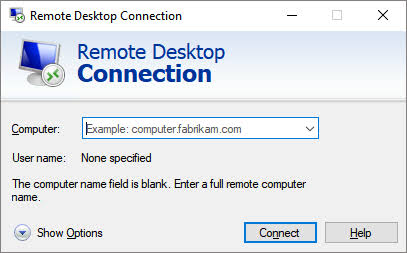
Connect using Microsoft Remote Desktop.
Benefits of Using Windows RDP
Work From Anywhere
Access your Windows desktop from home, office, or while traveling.
Better Performance
Cloud resources often provide consistent performance independent of your local device.
Secure Access
Encrypted Remote Desktop connections help protect data during transmission.
No Expensive Hardware
Use a lightweight laptop while the server performs the heavy processing.
Flexible Workspace
Access your files and applications from multiple devices.